
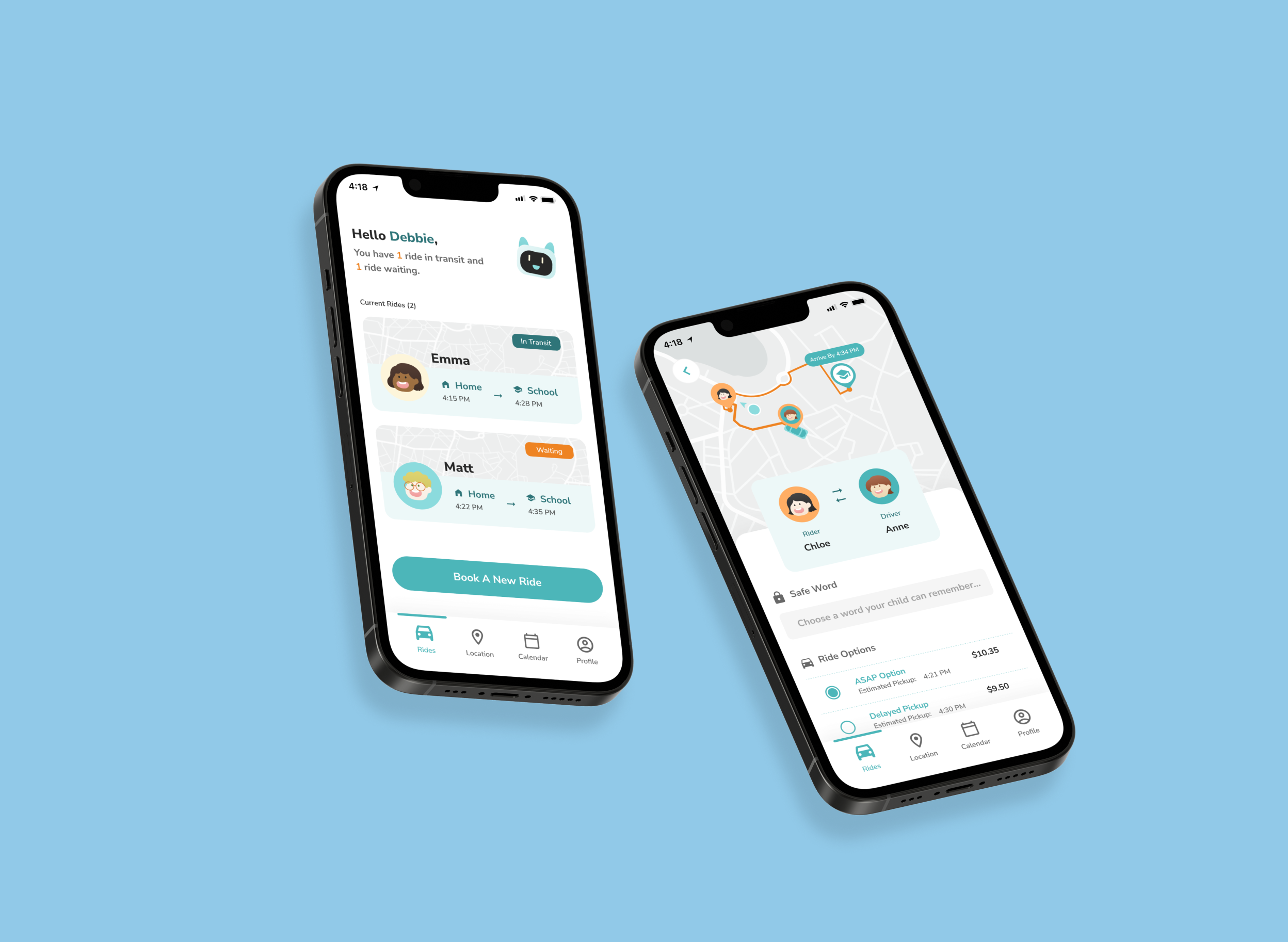
Ka Chow
Building an accessible ridesharing app for children that both parents and kids can use
Duration
Aug 2022 - Sep 2022
One month
Project Type
Design Challenge hosted by IterateUX
My Role
Competitive Analysis
Wireframing + Prototyping
UI Design + Branding
Overview
Ka Chow is a one-month design challenge project I got to work on thanks to IterateUX, the host of the challenge.
Each team was assigned to choose from given prompts and our team chose accessibility as our broad concept.
After brainstorming who we were going to design for, we decided to target parents and children who lack access to reliable transportation. Our solution not only increases the accessibility for our target audience (parents and children) but also benefits third-party audiences: professional teachers.
What approach did we take?
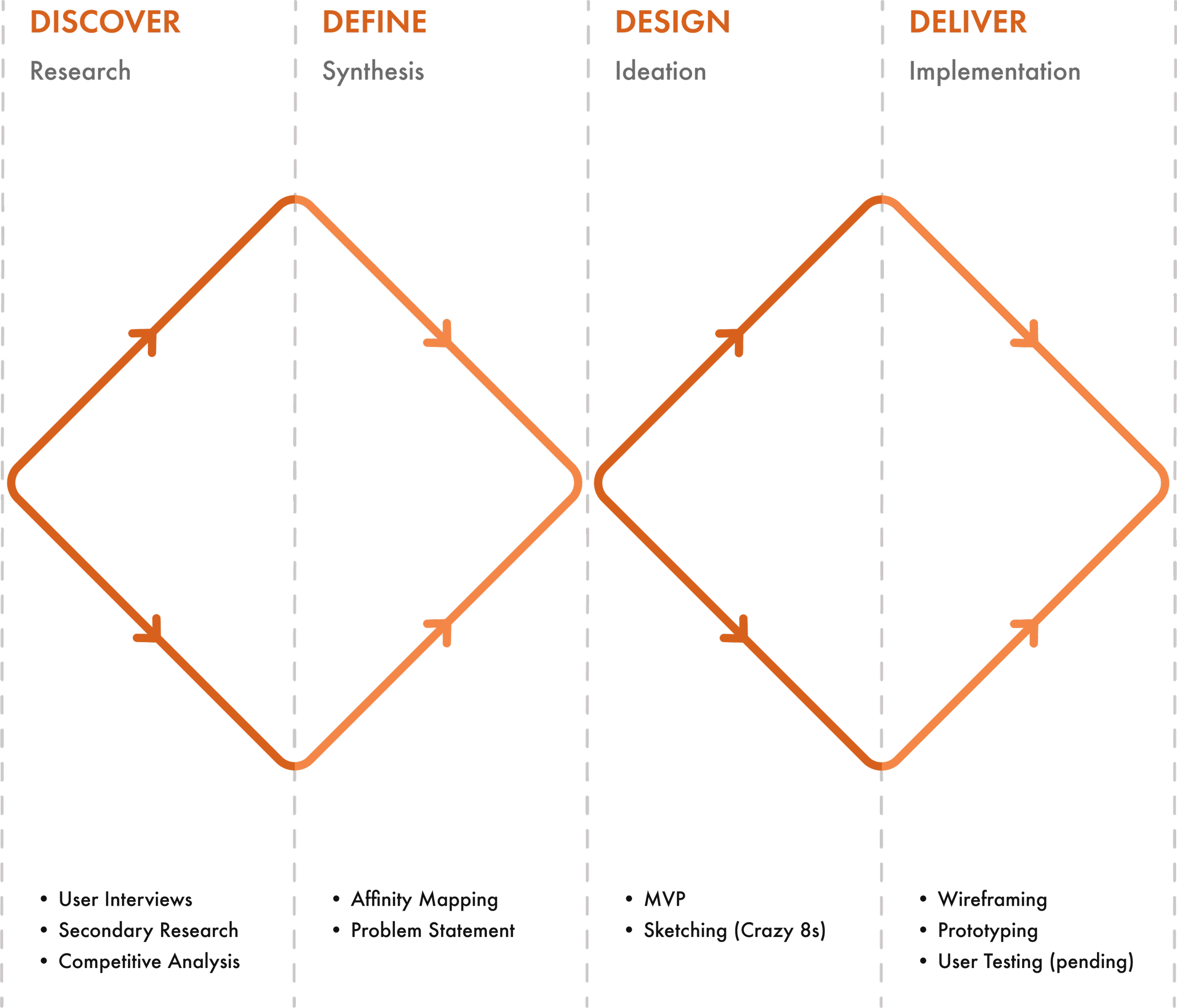
To briefly summarize the design process of this project, we took the classic double-diamond approach to identify a problem and develop a solution.
This approach contains four phases (detailed steps of the process are shown in the diagram):
Discover the problem and begin research into the challenges
Define the problem statement with insights from research findings
Design potential solutions to the defined user problems
Deliver feasible solutions and follow up with iterations
Why this prompt?
Ridesharing apps are very convenient for adults... but how about for children?
Ever since ridesharing apps such as Uber and Lyft hit the market, the rideshare industry began to grow exponentially for their convenience and efficiency which benefit both drivers and riders. Those apps have not only helped people without a personal vehicle for their daily commute but also lowered the rate of DUI crashes.
“We found that the incidence of both total AR-MVCs (alcohol-related motor vehicle collisions) and fatal AR-MVCs presenting to our trauma center decreased after the introduction of RSS (ride-sharing services)”
— Journal of Trauma and Acute Care Surgery
Although ridesharing services are helpful for adults, they do not permit children aged 17 and under to request and ride alone due to legal and safety concerns. Then we realized there are separate companies that provide ridesharing services exclusively for minors, prompting us to explore them in more detail.
Problem
Current ridesharing services for minors lack flexibility in booking a ride at the last minute.
After carefully investigating existing services, we discovered that most current services operate only on a reservation basis and fail to accommodate riders’ schedules which may come with last-minute changes.
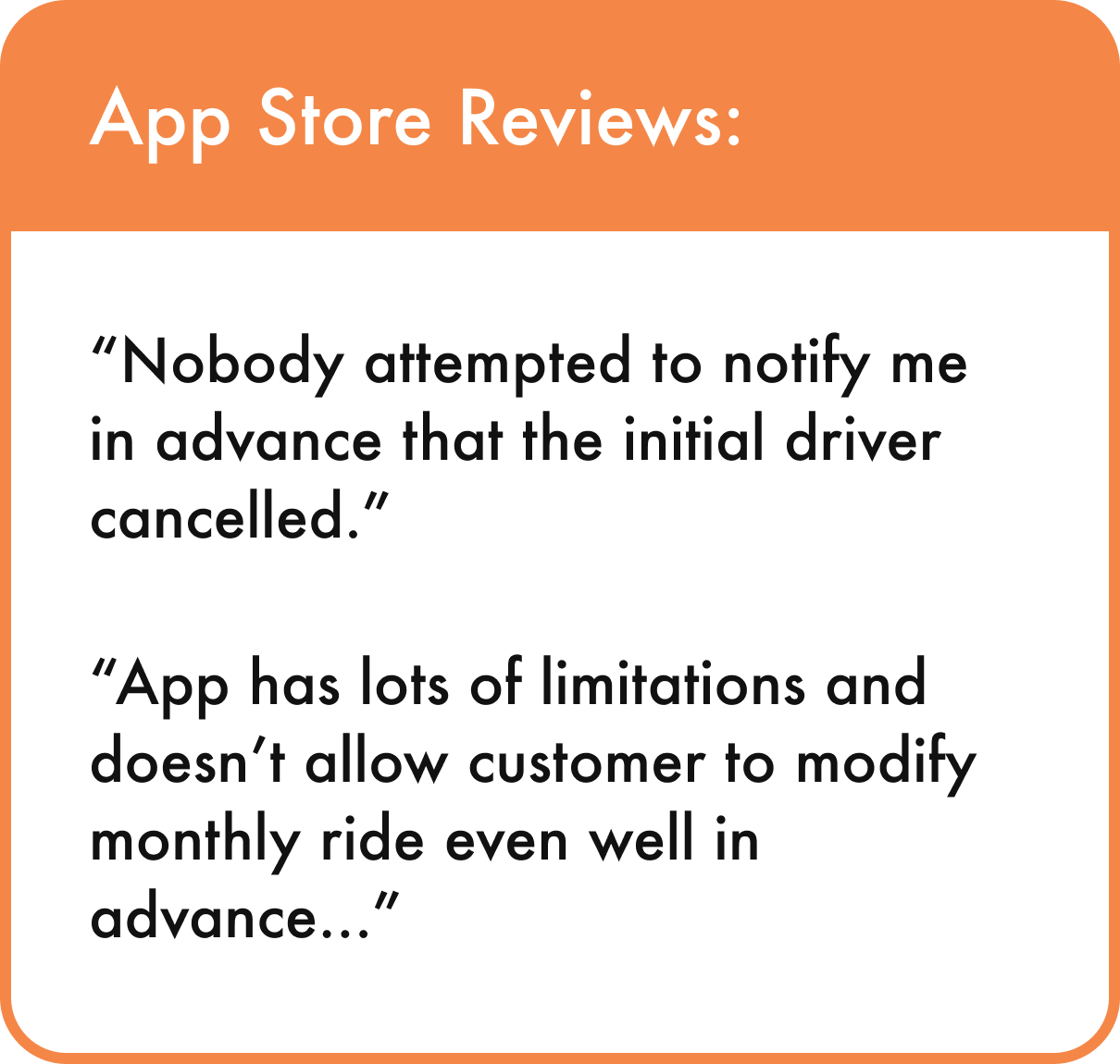
According to the app store reviews, one of the biggest frustrations is that the users cannot book a new ride on demand. Whenever their ride gets canceled or their schedule changes, they might need to find a new ride immediately! Unfortunately, when it comes to children, on-demand services are not extensively accessible, and even when they are, there aren’t enough available drivers to promptly accommodate the requests.
On-demand rides for children are hard to be trusted for safety concerns.
So what’s preventing those companies from providing on-demand rides for children other than the shortage of drivers?
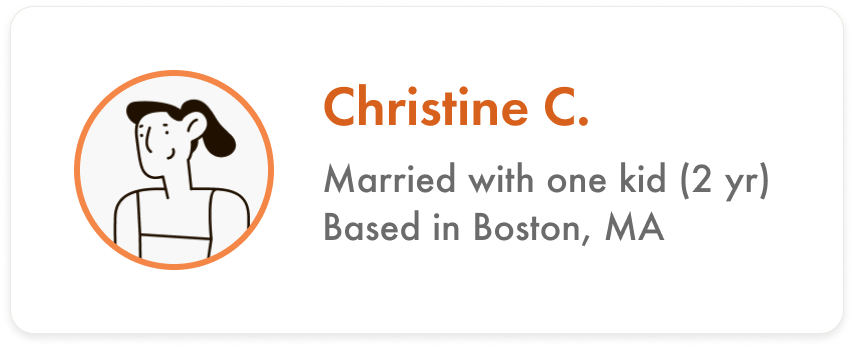
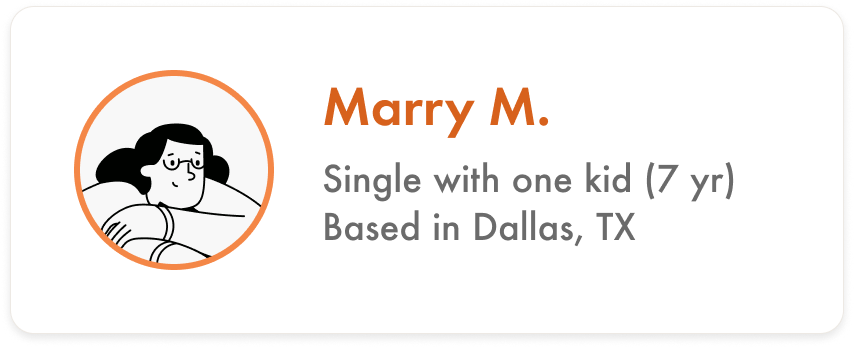
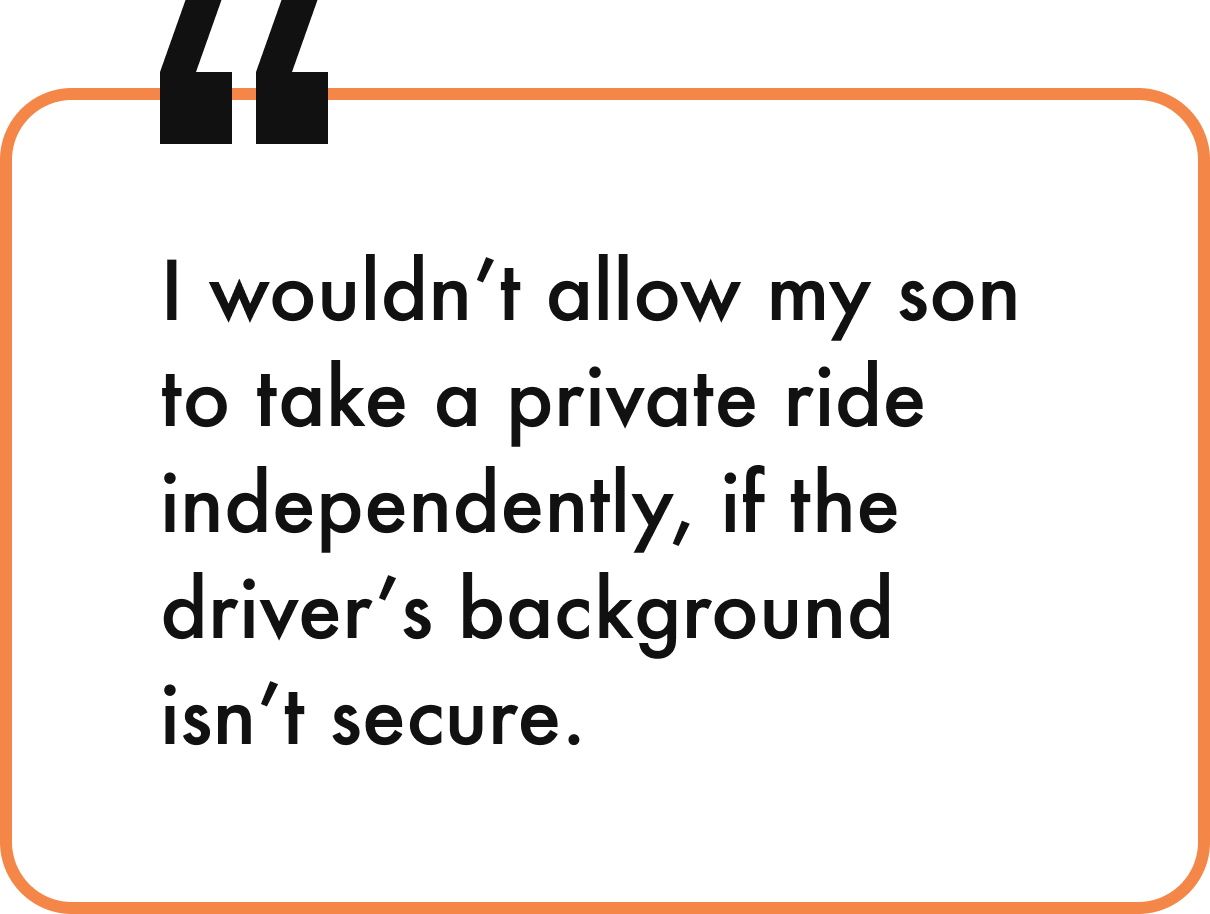
We found the answer from our interviews with potential users – working parents to ask their thoughts on providing on-demand rides for their children. Their biggest concern for the service centered around how much they could trust the driver.
Interview Participants:
Key Takeaways from User Interviews:
Requesting rides on demand is a key feature for families that is not just about convenience (for last-minute plan changes, or even emergencies)
Entrusting their children to a stranger is a significant concern for both parents who trust the service and who refuse to use the service
Research
How might we provide safe access to on-demand rides for children?
Now that we figured out why on-demand ride services for children aren’t widely accessible, we began to ask ourselves: how can we assure parents that their children will be entrusted to trustworthy drivers if the main concern is the driver's credibility?
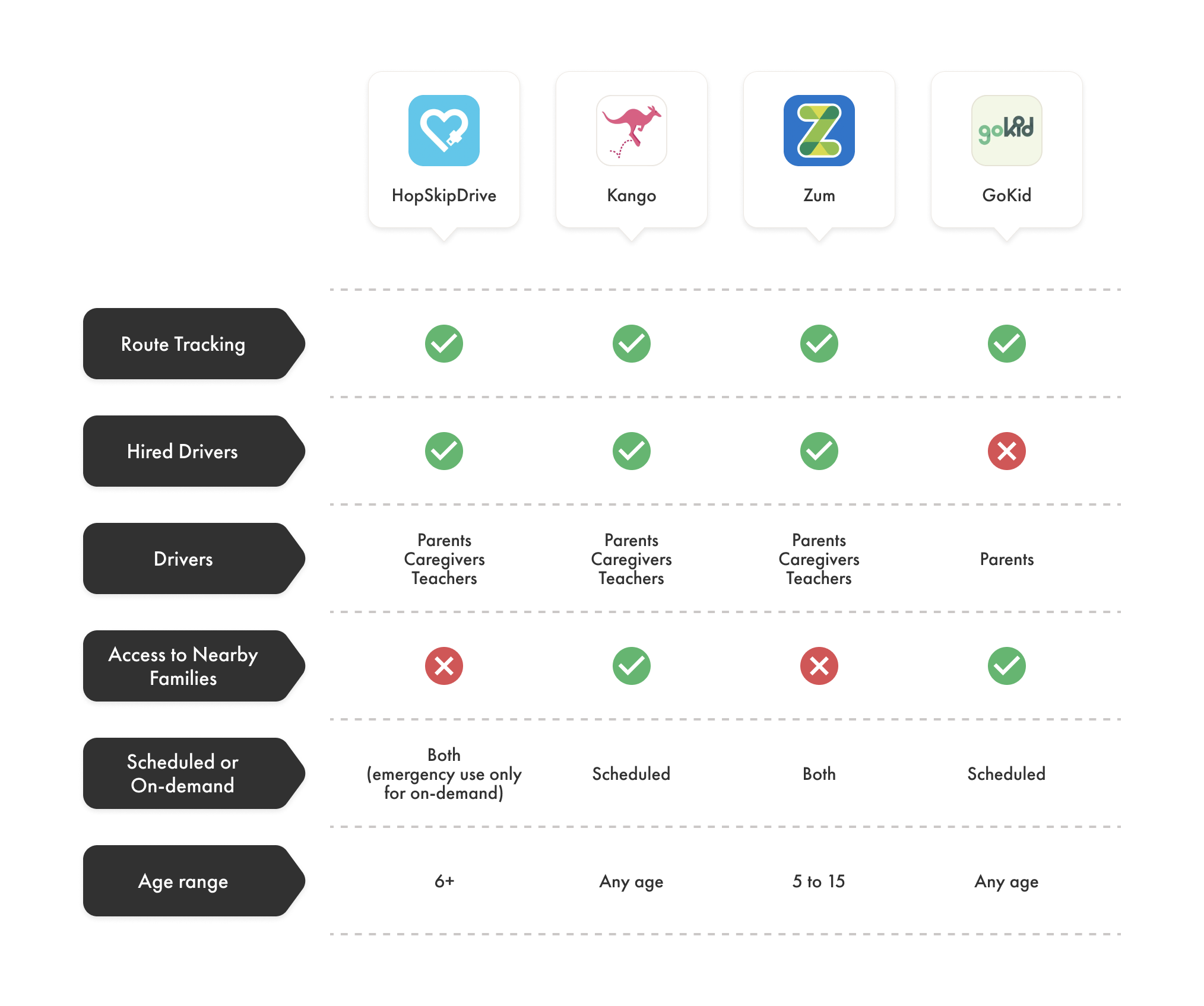
As we went through the driver’s identities for the current services, we realized the majority are either parents, teachers, or child caregivers/nannies who have passed their background checks (refer back to the competitive analysis chart above).
Then it came to our mind: if background check alone is not enough, then why don’t we strictly hire professional teachers as the only drivers?
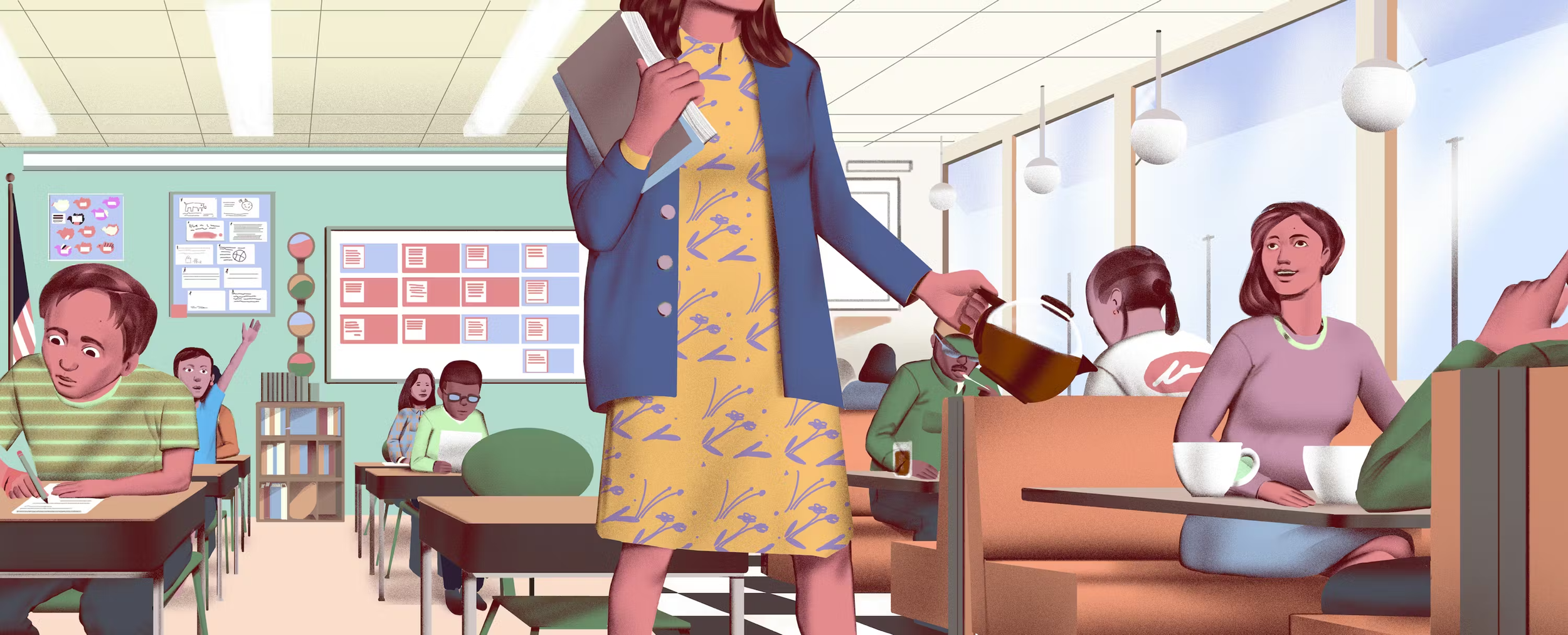
Image Source: Our Nation’s Teachers Are Hustling to Survive
Underpaid teachers are working as Uber and Lyft drivers for their side jobs.
In fact, teachers are known to be one of the professions that have significantly lower average salaries compared to other professions with the same levels of education, which is why they are often seen holding multiple jobs including Uber and Doordash drivers.
We decided to further investigate the financial situation of public school teachers in the United States, who could be one of the beneficiaries of our potential solution.
How many teachers are struggling financially?
In a national survey conducted by the nonpartisan organization known as the Teacher Salary Project in 2021, data from nearly 1,200 classroom teachers was uncovered as follows:
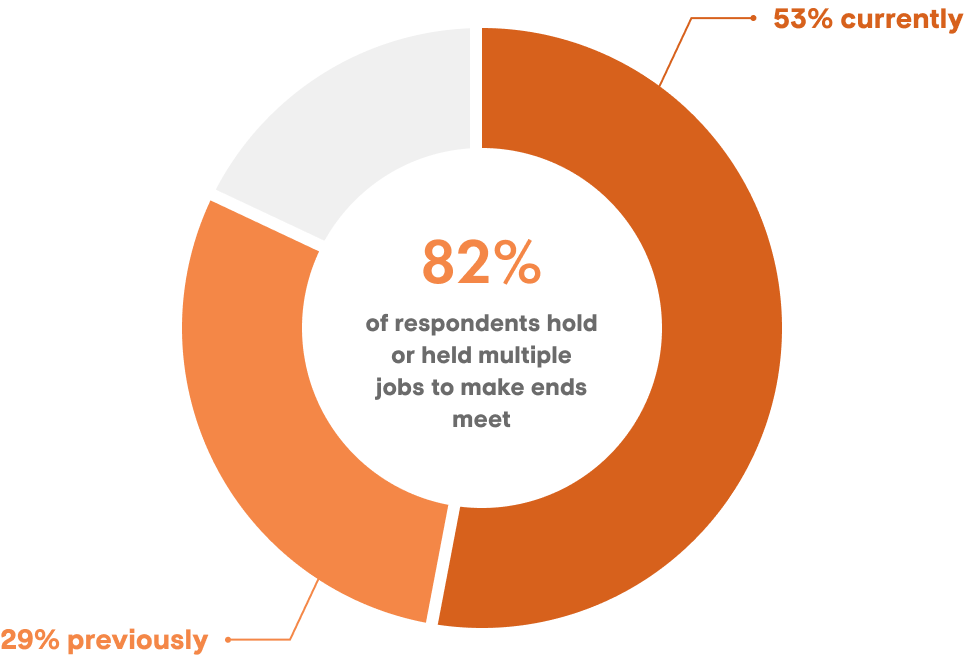
About two-thirds of respondents said their salary wasn't enough, or they weren't sure if it would be enough to make them stay in their jobs.
What kind of side jobs do they hold?
According to the 2020 National Education Association survey of 1,309 public school teachers in 2019, the kinds of side jobs they held varied into five different categories:
47% — Another position in preK-12 education
29% — Temporary position outside of education (e.g. retail, restaurant servers)
19% — Permanent position outside of education
14% — Gig economy position (e.g. Uber, DoorDash)
8% — Position in higher ed
Personas
We need to design an experience that would be user-friendly for both parent and child
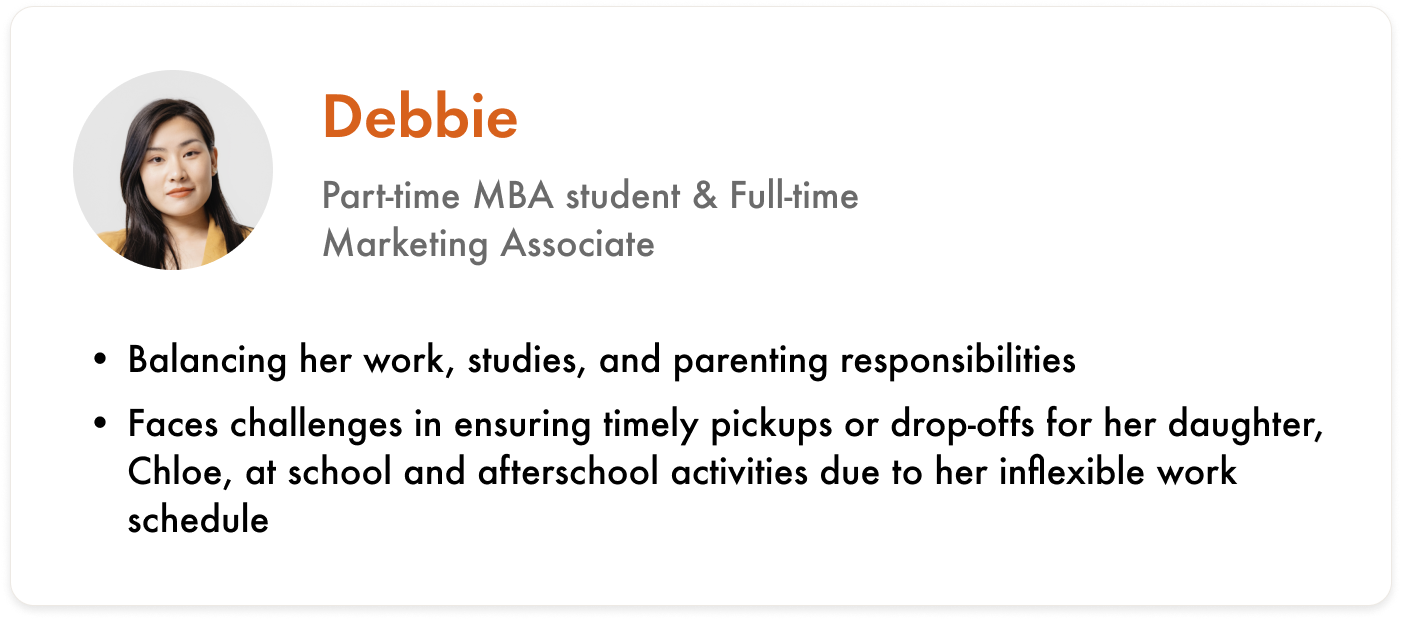
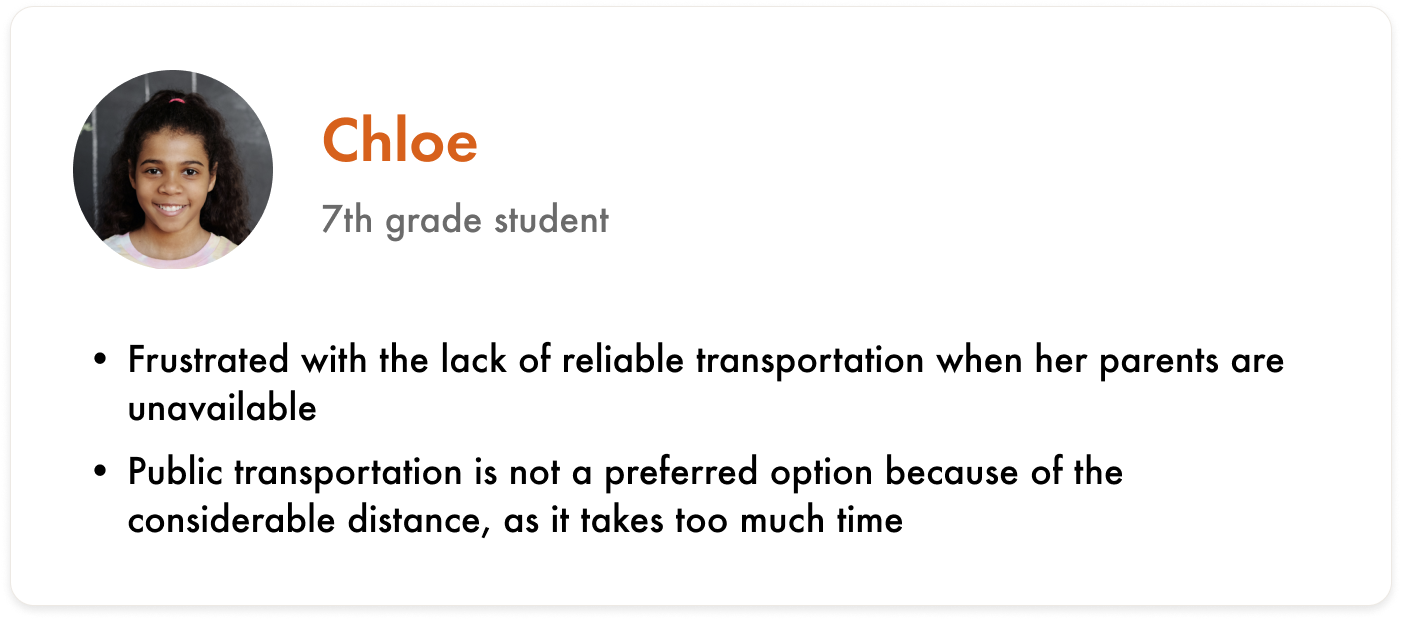
So who exactly are we designing for? Given that our problem involves two distinct user types — a parent and a child — it only made sense for us to create two separate user personas.
Crazy 8’s
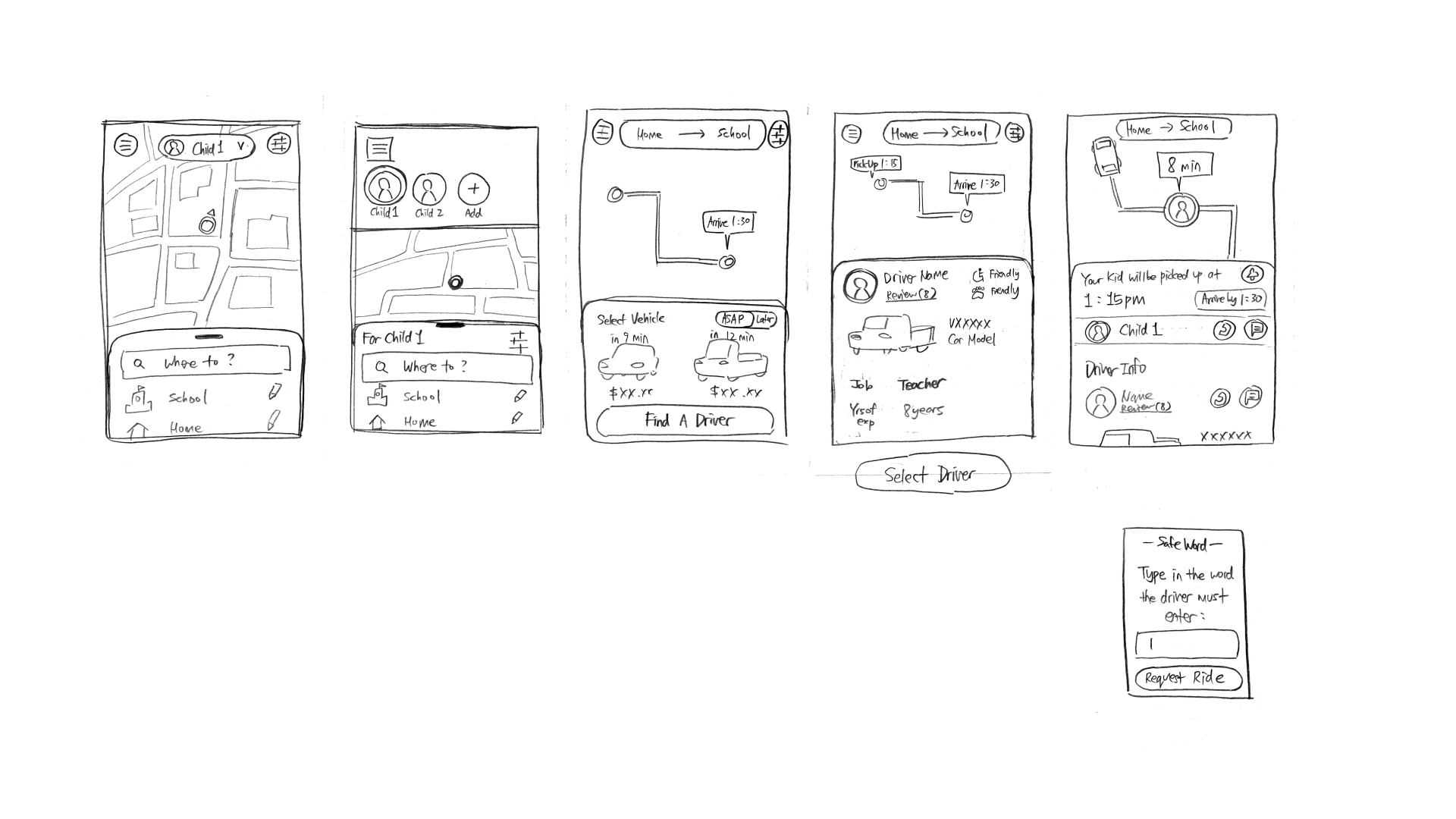
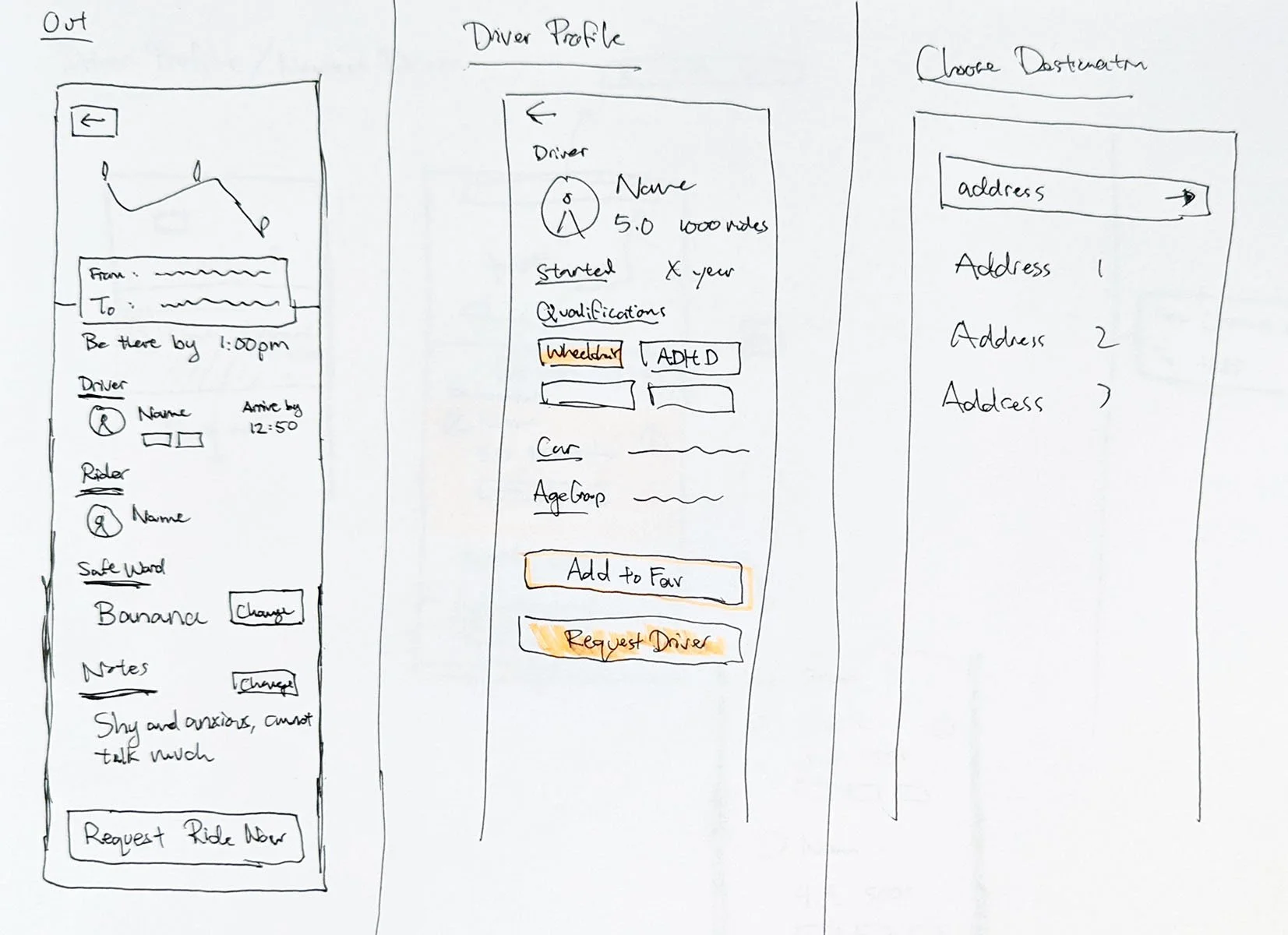
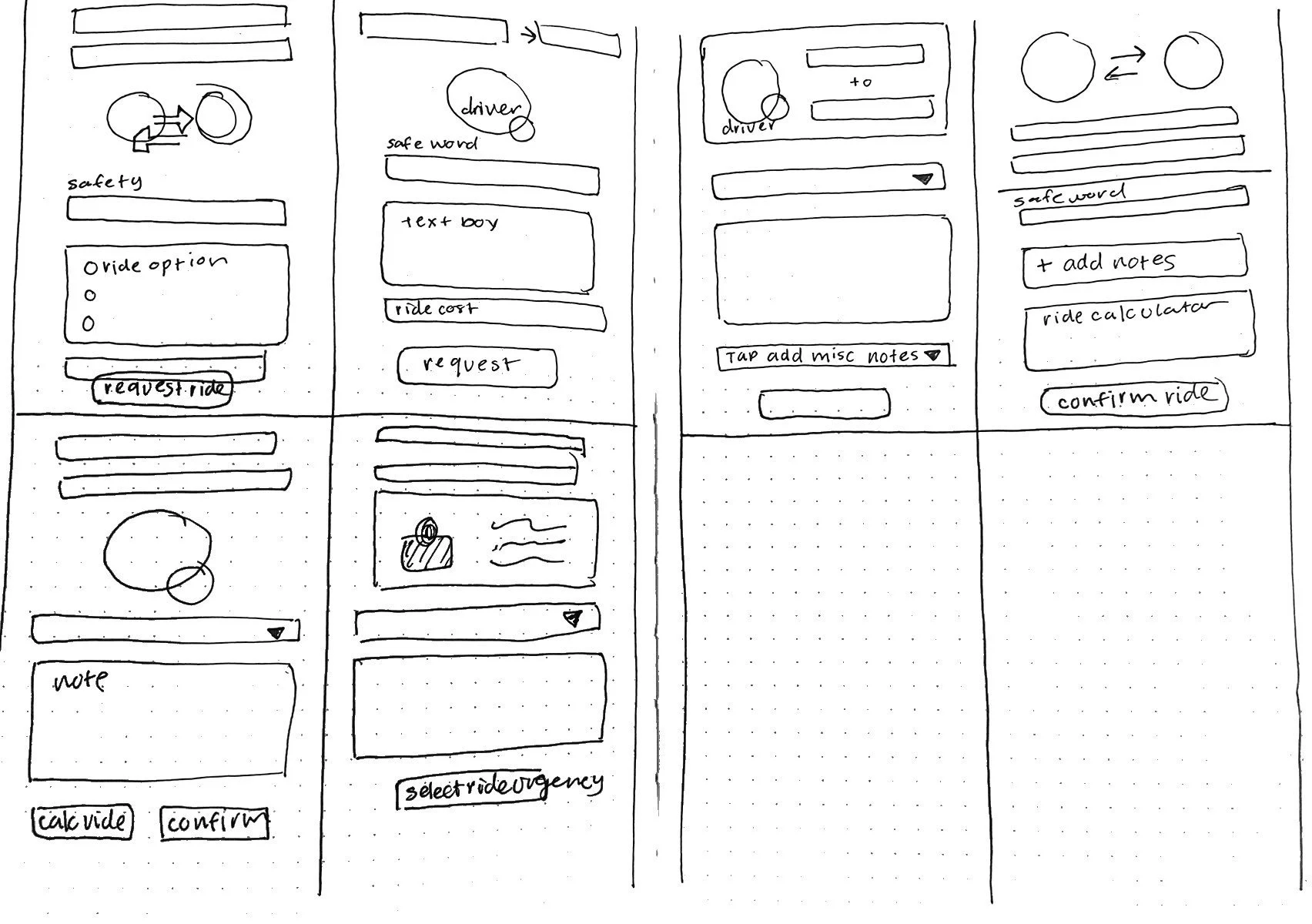
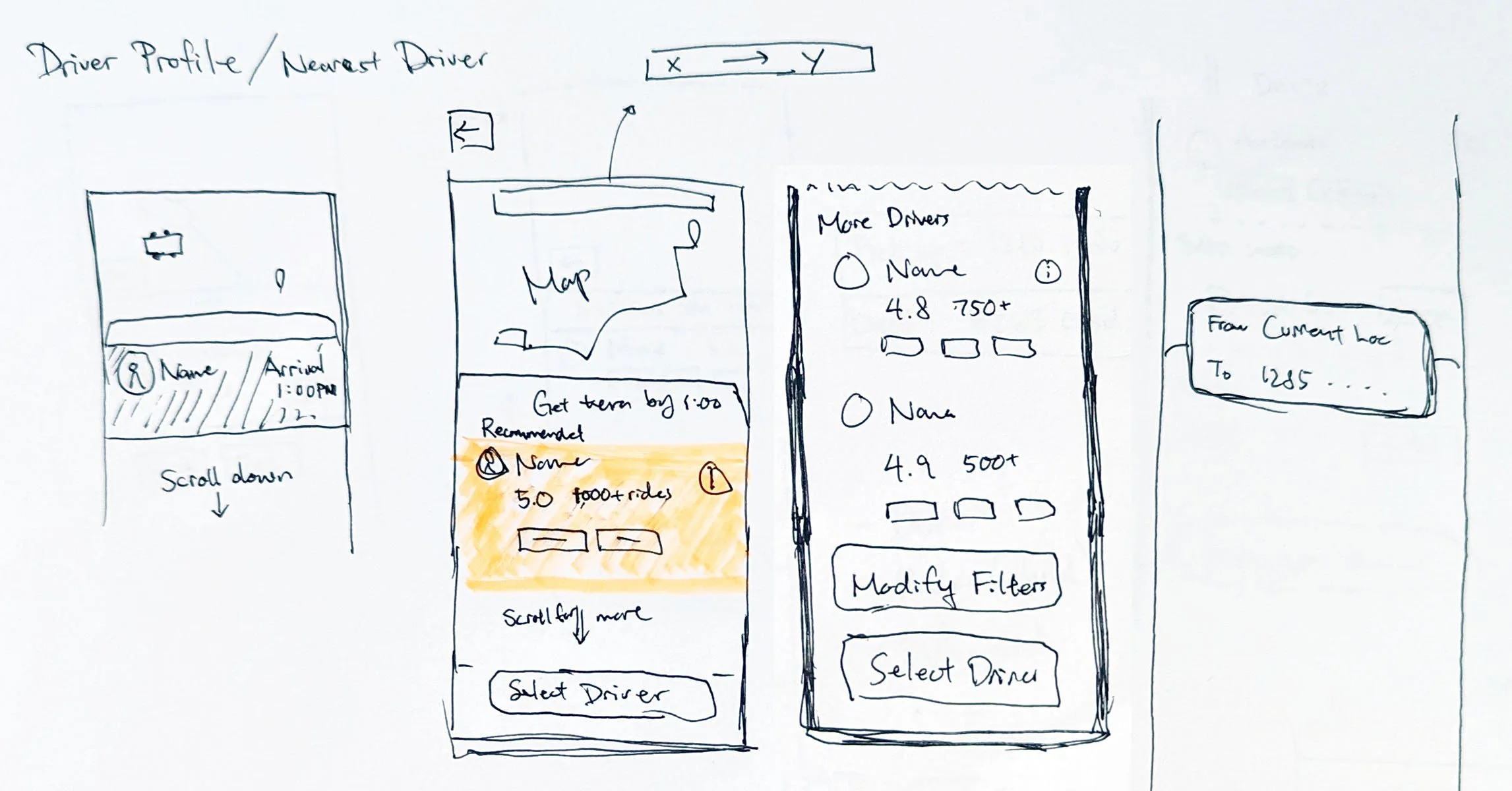
To rapidly brainstorm possible solutions, we decided to have an ideation session using Crazy 8’s method. In eight minutes, each team member came up with eight distinct ideas and sketched them onto a piece of paper that had been folded into eight sections. Afterward, each member gave the rest of the team a brief presentation of their ideas, explaining their design decisions. Then we cast our votes to choose our final solution by comparing the pros and cons of each idea.
MVPs
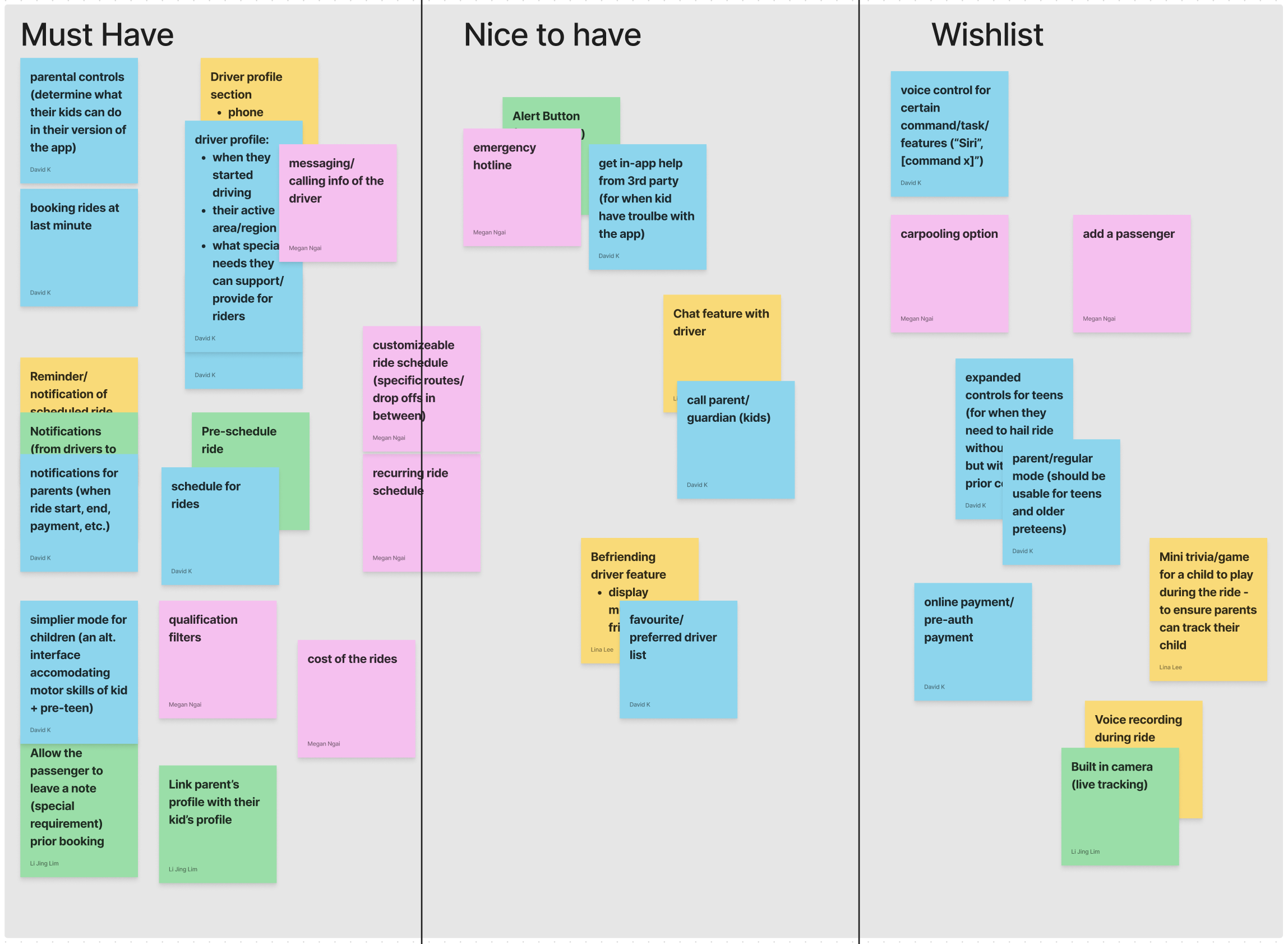
In our next brainstorming session, we chose to examine various features that could be suitable for our final solution and categorize them into three groups: must-have, nice-to-have, and wishlist (will not have).
Notable features:
Last-minute booking and cancellation
Parental controls
Child mode (an alternative interface accommodating motor skills of kid + pre-teen)
Driver profile section
User Flows
(Click image to enlarge!)
As our final step of the ideation process, we created the following user flows to establish our design direction:
Parent booking a ride for their child
Child booking a ride
Wireframes
(Click image to enlarge!)
After creating detailed user flows, we used them as a guide for making the wireframes. By sticking closely to the user flow, we aimed to turn the planned user journey into a clear and easy-to-use design. This approach ensures that the design meets user expectations and makes the overall experience user-friendly.
Solutions
01
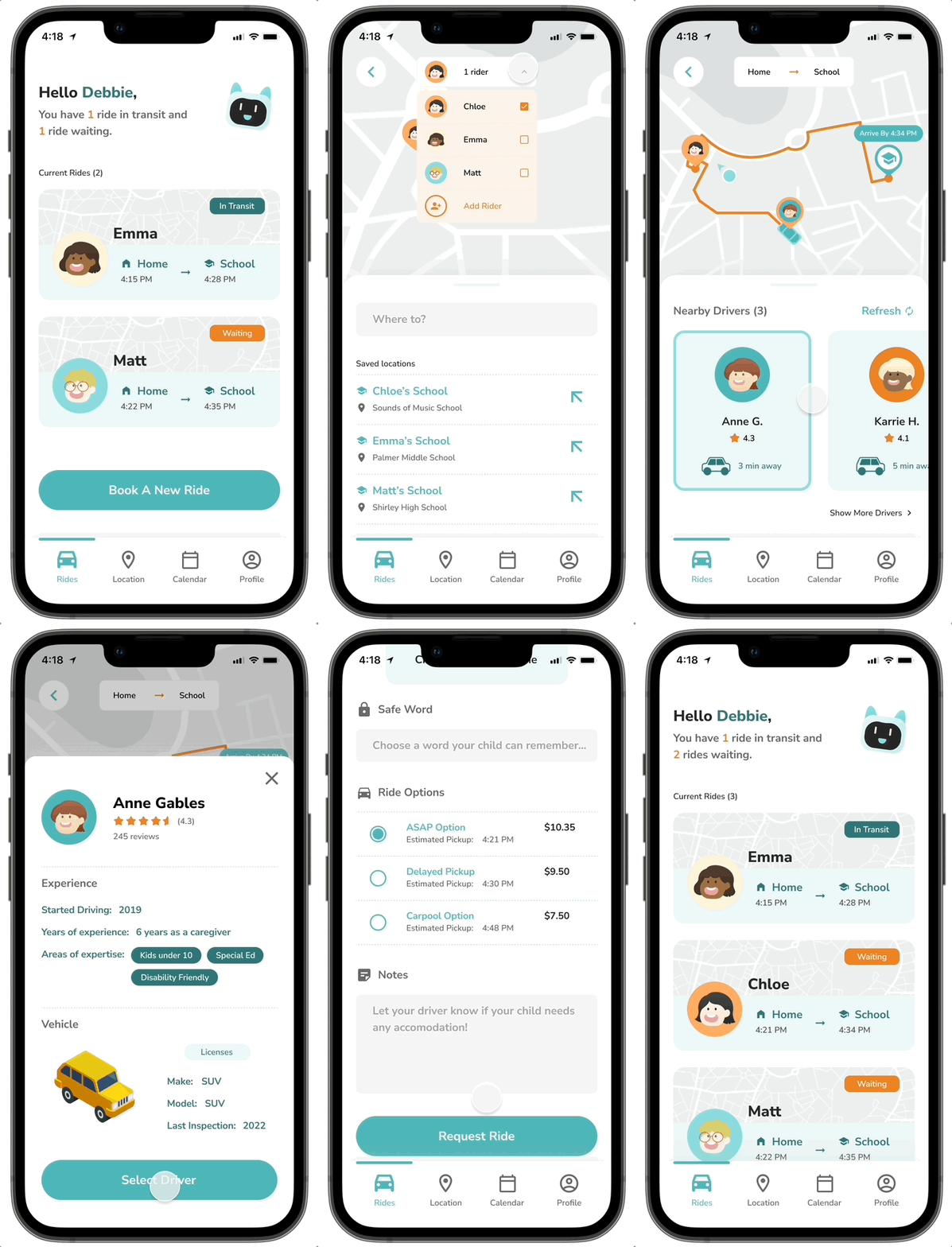
An on-demand ridesharing service that connects kids with professional teachers as their drivers
Parents would be given a list of nearby drivers where they can review their profile carefully and select
Kids would have reliable access to safer rides
Teachers would have broader access to other income streams
Safeword — a safety measure
Parents may set a specific safeword that would be shared with a selected driver only
Children may find their selected driver by confirming this safeword with a driver
02
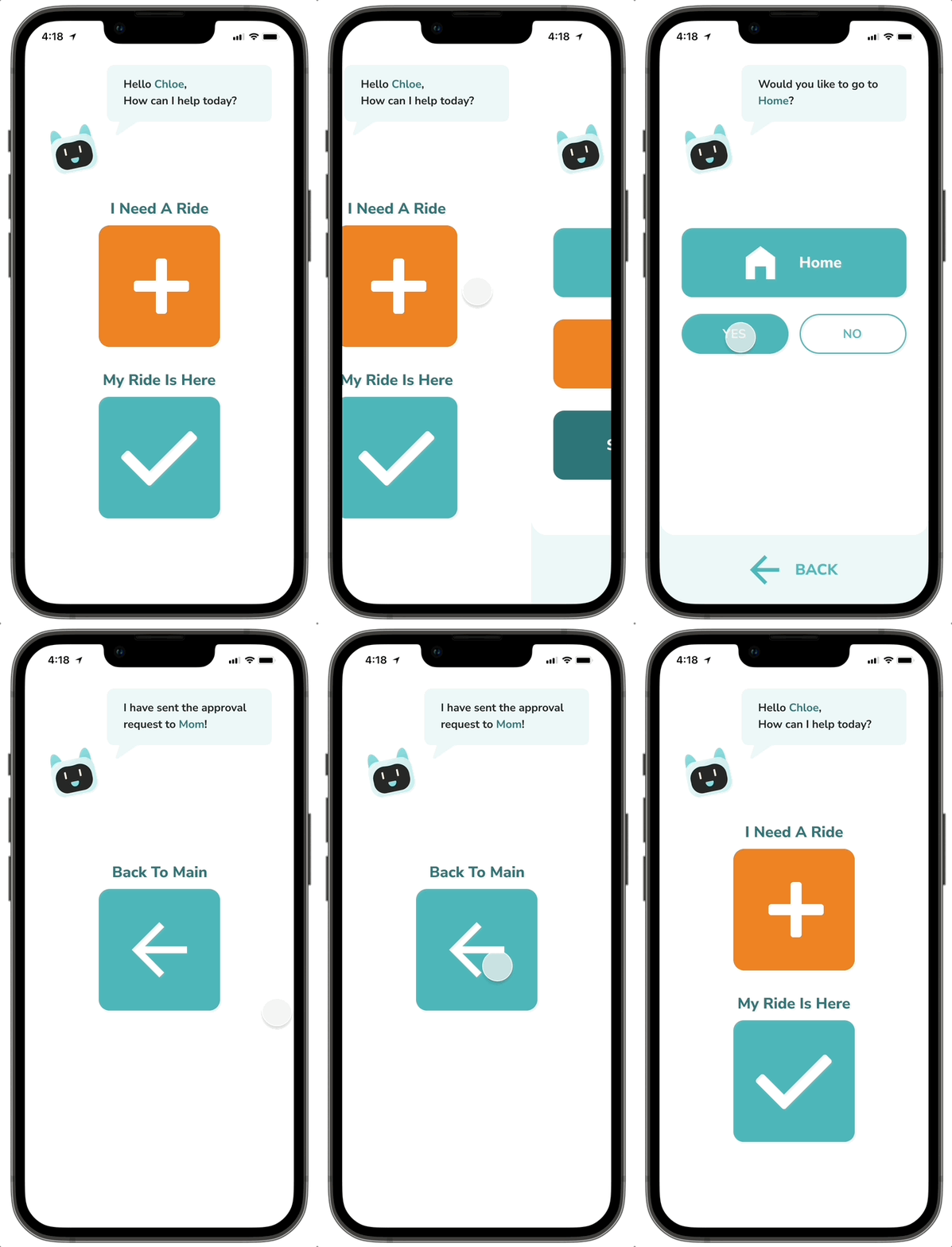
Kid-friendly interface with safety measures for children use
Simple UI with bold colors to reduce the cognitive load for children
Safety measure - every ride request made by children will require parent’s approval
Kids won’t have to contact their parents separately to request for a ride
Style Guide
Brand Attributes
Family Friendly, Safe, Caring
Colors
Based on the most common colors among kids-centric apps
Imagery
Expressive illustration/cartoon style to appeal to the kid's nature and make it family-friendly; include a robot assistant to supplement parental guide for kid’s version
Final Product
Parent Version
Kid Version
If I had more time…
There are few things I’d do to improve our design if we were given more time for this project:
#1 — Conduct user interviews with our secondary persona: child
While we successfully interviewed our primary persona, the parent, interviewing our secondary persona, the child, posed an unexpected challenge. Given that our target audience was under 16, obtaining consent from children with parental approval became a complex task, causing a potential delay in our planned schedule. Consequently, we opted for an alternative research method—paper research.
Despite the time-consuming nature of finding suitable interviewees, it remains crucial to comprehend the user's perspective through direct conversations. Therefore, I’d conduct thorough user interviews with children to gain valuable insights.
#2 — Validate design decisions through usability testing
Because of time limitations, we couldn't test our prototype with potential users to improve our design. It's crucial to check how our audience interacts with the design to catch any unexpected issues. Right now, this final step is still "pending."
Leaving Thoughts
Acknowledge your constraints and learn how to work around them.
No design process is without any constraints. In this project, I specifically learned how to identify the constraints involved with our project and come up with alternative methods to achieve our goals without being held back by those limitations.